Southern Listeners

Loading
Thanks to Greenlava for this cool gadget. Get yours here
Showing posts with label Comments. Show all posts

Sunday, February 12, 2012

Place Blogger 'Load More' link above Comment Form


If you have more than 200 comments in any given post, only the first 200 comments will be visible. To see the rest of the comments, you need to click on a link that says 'Load More' (see picture above). Here's the problem. This link is poorly positioned, that it can easily go unnoticed - giving the impression that the 200th comment is the last comment in your post. In this tutorial, I'll show you how you can place the link right under your last comment, making it relatively obvious. A big shoutout to my buddy Nitecruzr for helping me out.

Tuesday, January 31, 2012

Default Avatar in Blogger Threaded Comments


It seems like all the hype on the new threaded comment system is cooling off. But I've decided to keep throwing comment-related tutorials, since few of my previous comment-related tutorials have gotten obsolete. Gotta make up for those posts now, don't I? Right, now.. Blog reader John Bolch has given me a fantastic idea. He said Blogger should give a default avatar to those comments left by readers with no profile images, including anonymous readers. Right now, it'll just show a blank dull image if the user doesn't have a profile image set up. Instead of waiting for Blogger to fix that, let's put a temporary fix up there, shall we? In this post, I'm gonna show you how you can give a default profile image/avatar/whatever-you-wanna-call-it to those avatar-less users.

Saturday, January 21, 2012

Highlight Author Comments in Blogger's New Threaded Comment System


Still psyched about Blogger's new threaded comment system? Not really? Well, here's something to boost your spirit. In the old system, I used to have a way to highlight author's comments - you know, so that my comments stand out from my readers' comments. Unfortunately, with the release of the new threaded comment system, that tutorial got obsolete. So I dug further, and came up with a way to do the same in the threaded system. As a bonus, this tweak automatically highlights non-threaded old author comments as well! This is a response to blog readers Blaine and magda.

Friday, January 13, 2012

Change Blogger Comment Font, Size and Color


Blogger has released its much anticipated threaded comment system, and so far I'm loving it. Except for one thing - the font looks weird. So I changed the font back to how it was in the old system, and in this post I'm gonna show you how. By the way, a big shout and super thanks to Anonymous for her generous donation to SouthernSpeakers.


Sunday, July 17, 2011

Centering Blogger Comment Form

Here's a quick one. Your comment forms are left-aligned by default. In this post I'll show you how you can center the comment forms in one easy step.

Monday, January 31, 2011

Place Blogger Comment Form Above Comment Blocks

I have already composed and published another tutorial, and I saw a question on this. So I removed the other post and decided to write on this one instead. Since I've just composed the other lengthy post, I'll be brief on this one. So, when you have an embedded comment form, your comment blocks will appear first, followed by your comment form at the bottom of the post.


UPDATE: THIS TWEAK WILL NOT WORK WITH THE NEW BLOGGER REPLY COMMENT SYSTEM. CLICK ON 'REVERT WIDGET TEMPLATES TO DEFAULT' TO UNDO THIS TWEAK.

The doesn't sound so bad, except when you have lots and lots of comments. One would have to scroll all the way down to look for the comment form. So, why not just place it at the top instead, right after the end of your posts?

Friday, January 21, 2011

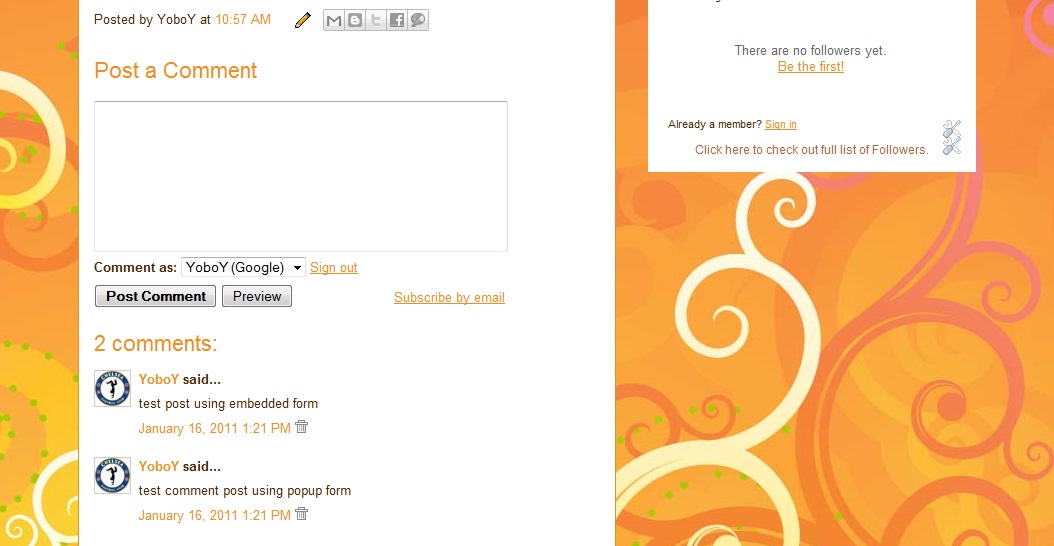
Blogger Comment Form Isn't Showing? - Place Multiple Comment Forms!


UPDATE: THIS TWEAK WILL NOT WORK WITH THE NEW BLOGGER REPLY COMMENT SYSTEM. CLICK ON 'REVERT WIDGET TEMPLATES TO DEFAULT' TO UNDER THIS TWEAK.

Quick Note: This tutorial doesn't teach how you can bring back your missing comment form - as it is highly likely that it is a problem with your browser. This tutorial teaches you how you can add a back-up link to allow your readers leave a comment in case your comment form doesn't appear in your readers' browsers.

The Blogger Comment system is an important part of any blog. Blogger gives you the option to either place the comment form embedded in your post page (known as 'Embedded below post'), or have the comment form in an external page. The external form placement comes in two different options - to load the external comment form from the current page (known as 'Full Page'), or pop-up a new window to load the external comment form (known as 'Pop-up window'). At any given time, you can only choose either one of the two options provided (either embedded or external placement).


Lot's of users prefer to have the comment form embedded within their post page because it is so convenient for readers to leave comments within the page itself. Besides, the external form placements have their own disadvantages when it is seen holistically. Full Page placement will overwrite 'over-load' the post page to open the comment page, and Pop-up Window placement will open a pop-up window, which will get blocked if pop-up blockers are installed at the reader's side.

Here comes the problem. Embedded comment forms are not foolproof either. Due to some browser problems, and/or add-on related issues, sometimes the embedded comment form becomes dysfunctional. I have experienced this at two different times, and until today, I could not identify what caused the problem. It just resolved by itself. But during that period, I could not leave any comments anywhere. This could happen to you too. You could lose lots of comments if your readers' browsers fail to make the embedded comment forms functional - and you'd be so clueless when it happens as usually it is not epidemic.

Solution: Place both embedded comment form and external comment form together. Embedded comment form as primary option as usual, and a link to external comment form as a back up! I spent lots of time to come up with this one, and I guarantee you, this is first on net!

Wednesday, January 19, 2011

Blogger Dedicated Comment Page

You can have comments enabled for all of your posts and pages. But what if you want a dedicated page in your blog just for comments? Yes you can! Your readers could leave generic shoutouts in that dedicated comment page, just like regular comments from your posts. And it is so easy to do!

Friday, December 24, 2010

Highlight Blogger Author Comments

It has been awhile. This time, I'm going to show you a quick and easy way to make your comments (author comments) look different. In a thread full of comments, one might feel the need to isolate the author's comments from readers' comments, probably by highlighting it or making it look different.


UPDATE: THIS TWEAK WILL NOT WORK WITH THE NEW BLOGGER REPLY COMMENT SYSTEM. CLICK ON 'REVERT WIDGET TEMPLATES TO DEFAULT' TO UNDO THIS TWEAK. I'VE PUBLISHED A NEW WAY OF HIGHLIGHTING AUTHOR COMMENTS FOR THE NEW THREADED SYSTEM, CHECK IT OUT.

This tweak works with both Layout (Minima, Harbor, Denim, Rounders, etc) and Designer (Simple, Picture Window, Awesome Inc, etc) templates. Basically, it'll work with all Blogger 'built-in' templates, probably third party templates as well. Consider this my Christmas gift.